
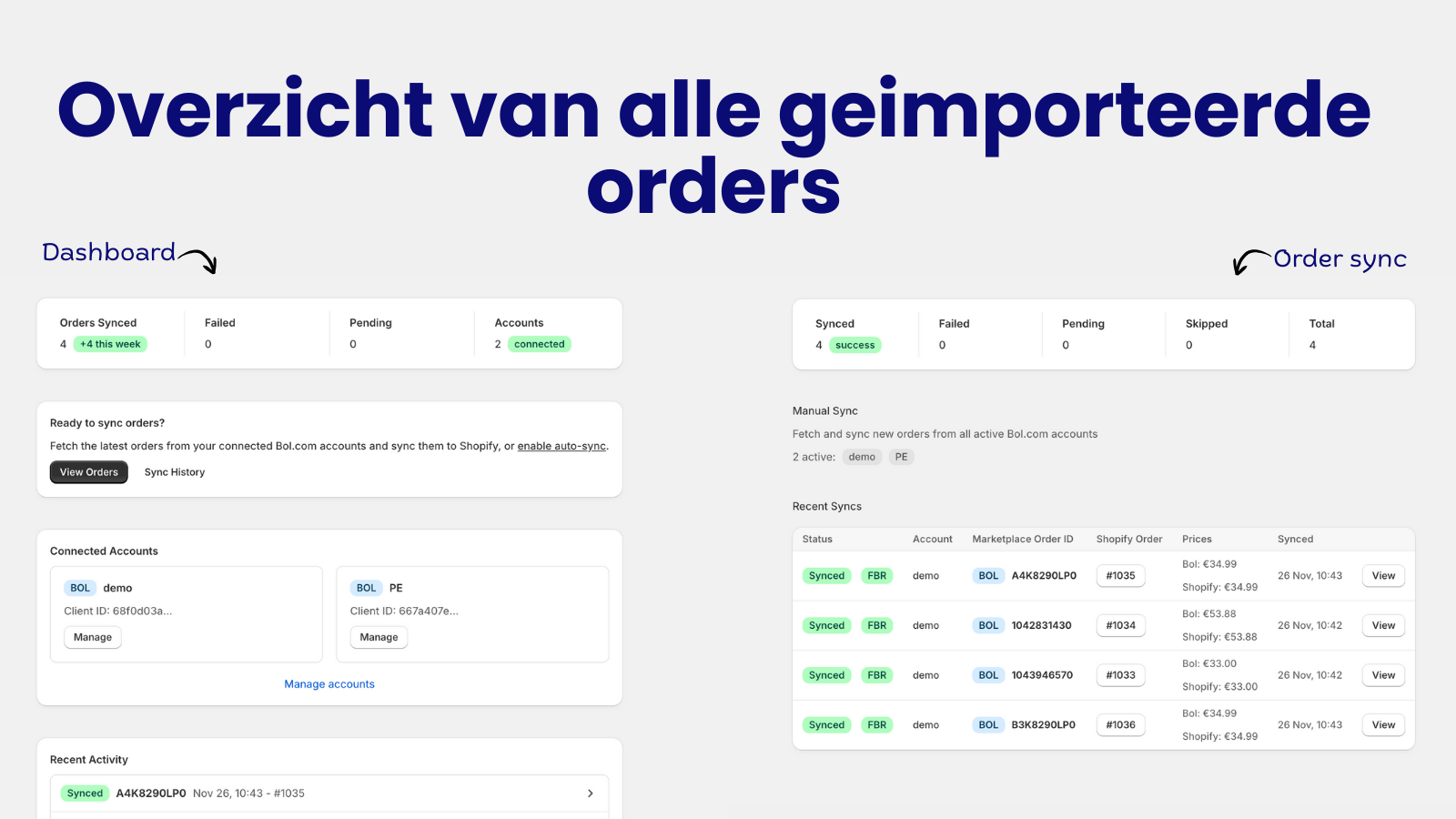
Import Bol.com orders in your Shopify store using real marketplace (Bol.com) prices.

Orders from Bol.com are automatically imported into your Shopify store. Set your preferred sync interval (from 15 minutes to daily) and let the app do the work.
Push your Shopify products directly to Bol.com. Select products, map categories, and publish offers in bulk. New products not yet in the Bol.com catalog? Submit them with full content and images. Learn more →
Stock levels update instantly when inventory changes in Shopify. No more overselling or manual stock management across platforms. Learn more →
Keep your Bol.com prices in sync with Shopify. Use your Shopify price or set a separate Bol.com price via metafields for marketplace-specific pricing strategies. Learn more →
No barcode for your product? Generate free EAN codes directly in the app. Essential for private label products or items without manufacturer barcodes. Learn more →
Connect multiple Bol.com seller accounts to a single Shopify store. Perfect for businesses managing multiple brands or marketplaces.
Automatically match Bol.com products to your Shopify inventory using EAN barcodes or SKU codes. No manual mapping required.
Map your Shopify products to Bol.com categories with smart attribute mapping. Save templates for product types to speed up bulk publishing.
Meet EU product safety regulations with built-in Economic Operator support. Select your operators directly when publishing offers to Bol.com. Learn more →
When you fulfill an order in Shopify, the tracking information is automatically sent back to Bol.com. Keep your customers informed everywhere. Learn more →
When an order is cancelled on Bol.com, the app reflects it in Shopify automatically. Unshipped orders are cancelled and restocked, already-shipped ones are flagged for review, so you never ship a cancelled order. Available on every plan, Starter included. Learn more →
Bol.com returns appear in Shopify automatically with status, reason and the linked order. For received FBR returns, the app can put sellable stock back into Shopify; FBB returns stay visible without double-restocking. Available from Professional. Learn more →
Using Sendcloud for shipping? Connect your account and tracking updates flow automatically to Bol.com when parcels are shipped.
Selling new products on Bol.com? The app can automatically create draft products in Shopify when no match is found.
Full support for both Fulfilled by Bol.com (FBB) and Fulfilled by Retailer (FBR) orders. Choose which order types to import.
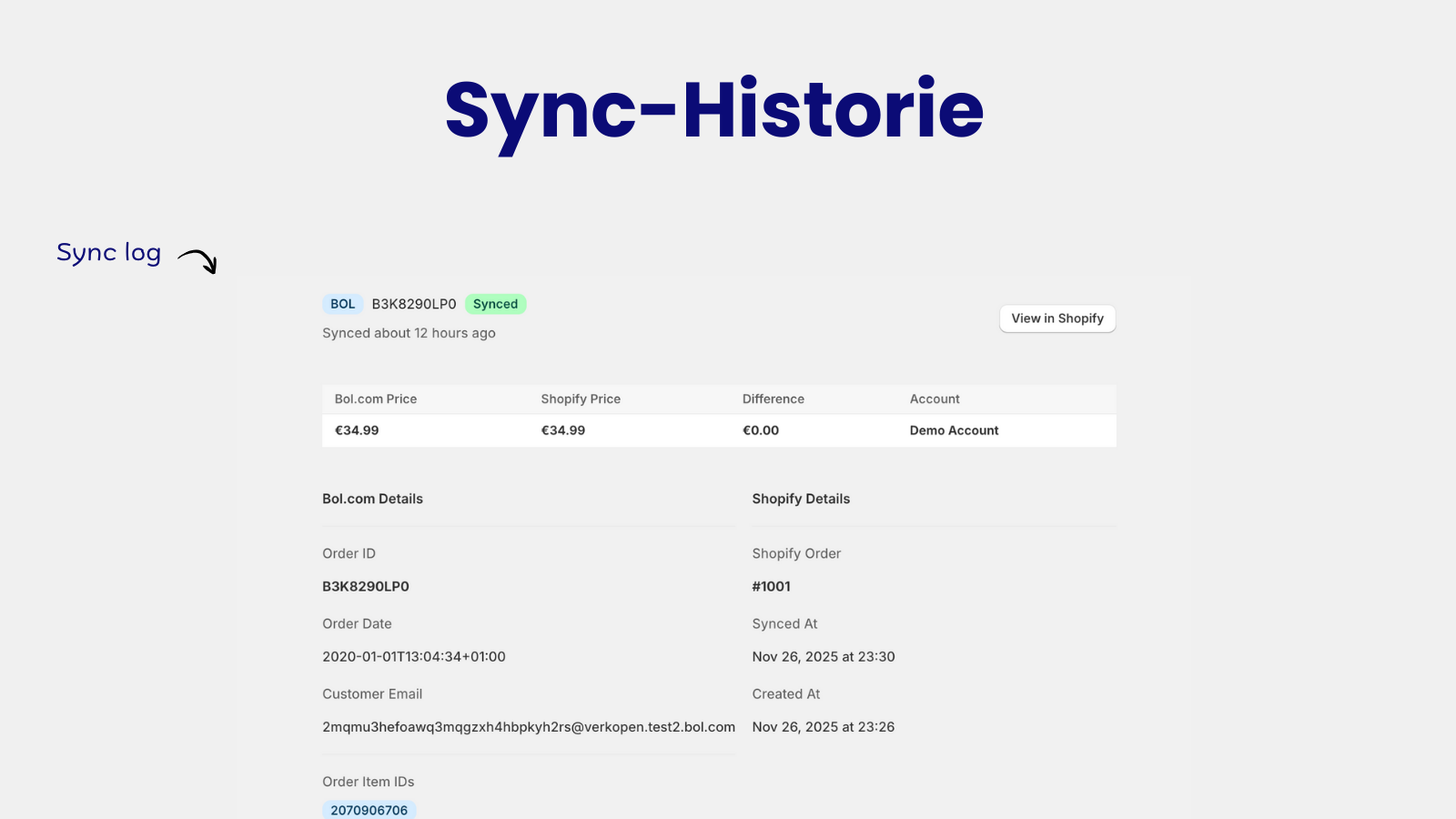
Track every sync with detailed logs. See exactly what changed, when, and troubleshoot any issues with clear error messages.
See your profit per order automatically. The dashboard combines revenue, Bol.com commission, product cost, and shipping costs in one overview. Orders are grouped by day with totals. Learn more →
Invoices are automatically generated and uploaded to Bol.com with every shipment. Complete with your branding, correct VAT calculation, and a built-in review link in the invoice email. Learn more →
The app is available in both Dutch and English, with automatic language detection based on your browser settings.
1
Install the app from the Shopify App Store and start your 7-day free trial.
2
Add your Bol.com API credentials. You can connect multiple seller accounts.
3
Set your price strategy, product matching method, and sync interval.
4
Enable auto-sync and watch your Bol.com orders appear in Shopify automatically.
No more manually copying orders between platforms. Automate your workflow.
Eliminate manual data entry mistakes and keep your inventory accurate.
Handle more orders without hiring more staff. Grow your business efficiently.
Your data is safe. We use official Bol.com APIs and secure connections.
Start with a 7-day free trial. No credit card required.
| Feature | Starter | Professional | Plus |
|---|---|---|---|
| Price | €9/month | €29/month | €49/month |
| Orders per month | 100 | 500 | 2,500 |
| Product offers | — | 100 | 1,000 |
| Free EAN codes | — | 100/month | 1,000/month |
| Bol.com accounts | 1 | 5 | 10 |
| Order sync | ✓ | ✓ | ✓ |
| Order cancellation sync | ✓ | ✓ | ✓ |
| Product sync | — | ✓ | ✓ |
| Price & stock sync | — | ✓ | ✓ |
| New product submission | — | ✓ | ✓ |
| Bulk operations | — | ✓ | ✓ |
| Start Free Trial | Start Free Trial | Start Free Trial |
You can generate API credentials in your Bol.com Seller Account under Settings → API Settings. You’ll need to create a new API key and enable the required permissions for orders and shipping.
You can configure the sync interval from every 15 minutes up to once per day. The app will automatically check for new orders based on your settings.
You can enable the “Auto-Create Products” feature, which will create a draft product in Shopify when no matching product is found. You can then review and publish these products.
Yes! With the Professional or Plus plan, you can submit completely new products to Bol.com including product content, images, and attributes. Products are typically processed within 24-48 hours.
When publishing a product without a barcode, the app can generate a valid EAN code for you. These are 780-prefix EANs accepted by Bol.com. The generated EAN is saved to your Shopify product.
Yes! You can choose to import both FBR (Fulfilled by Retailer) and FBB orders. FBB orders are clearly marked in Shopify so you know Bol.com handles the fulfillment.
Yes, the Professional plan supports up to 5 accounts and the Plus plan supports up to 10 Bol.com seller accounts. Each account’s orders are clearly labeled.
GPSR (General Product Safety Regulation) is an EU regulation requiring product traceability. Bol.com requires an Economic Operator for each offer. The app lets you select your registered operators when publishing products.
Absolutely. We use the official Bol.com Partner API with OAuth authentication. Your credentials are encrypted and we never store more data than necessary.