
Export Shopify reverse-charge orders with VAT IDs, refunds and totals in one accountant-ready CSV for monthly EU VAT reporting.
TL;DR: Shopify merchants selling B2B in the EU need more than a normal order export.
For monthly reverse-charge reporting, your accountant needs the order amount, the customer VAT ID, the VAT country and any refunds in one place. The EU Tax Exemption app now includes an accountant-ready CSV export for exactly that.
If you already use Shopify for B2B sales, you probably know the checkout part is only half the job. A customer enters a VAT number, reverse charge applies, and the order is placed without VAT. That is good for the buyer.
But at the end of the month, someone still has to answer the accountant’s question: which reverse-charge orders were placed, which VAT ID belongs to each customer, and what amount should be reported?
That is the gap this feature closes.
Shopify’s order export is useful for general operations. It shows orders, customer details, totals and fulfillment information. But for EU B2B VAT reporting, the important data is often scattered.
Your accountant does not want to open every order one by one. They need a focused export that answers a specific VAT question.
For reverse-charge reporting, the useful fields are:
That is why a general Shopify export often becomes manual work. Someone has to match orders with VAT IDs, check notes or additional details, adjust for refunds and remove cancelled orders.
If you want the background on when reverse charge applies, read our Shopify VAT reverse charge guide.
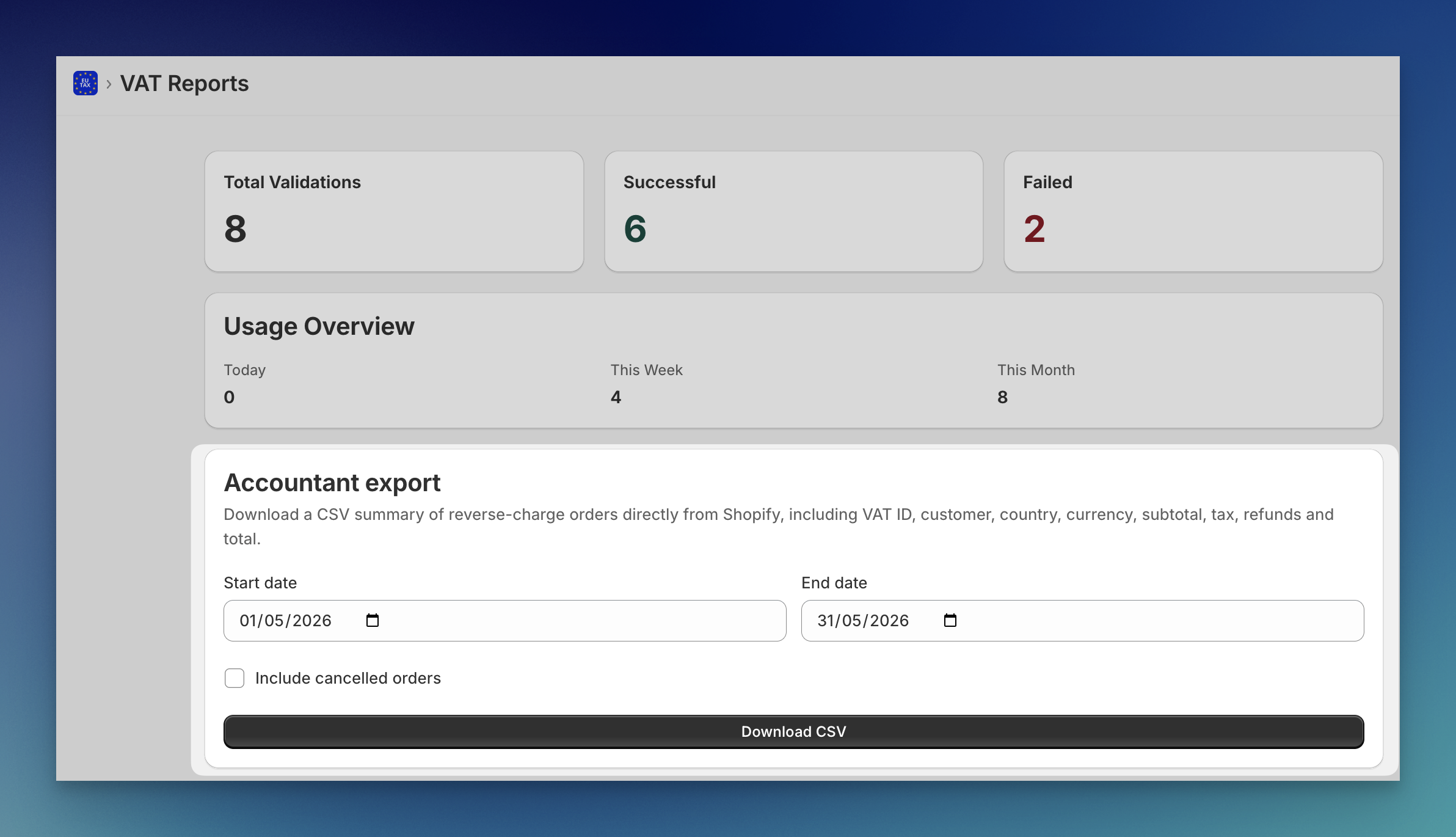
The EU Tax Exemption app now has a VAT Reports page with an accountant export for reverse-charge orders.
You choose a start date and end date, then download a CSV. The export pulls the current order data from Shopify and combines it with the VAT information needed for reporting.
The result is a practical monthly file you can send to your accountant instead of a messy full order dump.
The accountant export includes the fields most accountants ask for when reviewing EU reverse-charge sales:
| Column | Why it matters |
|---|---|
| Order | Connects the row to the Shopify order. |
| Order date | Places the sale in the right reporting period. |
| Customer email and company | Identifies the buyer. |
| VAT ID and VAT country | Shows which business VAT number was used. |
| Currency, subtotal, tax and total | Gives the financial values for reporting. |
| Refunded | Shows if part of the order was refunded later. |
| Financial and fulfillment status | Helps your accountant review edge cases. |
| Cancelled at | Shows cancelled orders when you choose to include them. |
Cancelled orders are excluded by default. If your accountant wants a full audit view, you can include cancelled orders as well.
The export is not limited to one checkout setup.
If the VAT ID was validated and stored by the EU Tax Exemption app, the export uses that order data. If a merchant uses Shopify’s native VAT collection, the export can also use Shopify customer tax IDs and B2B company location tax registrations where they are available.
That matters because many stores do not have one perfect historical setup. Some orders may come through your VAT validation flow. Others may come through Shopify’s native B2B tax flow. The report is designed to collect the VAT ID that is actually available on the order or customer record.
For a deeper look at storing VAT IDs on orders, see how to save VAT details in Shopify order notes. If you mainly care about accounting software mapping, read how to get Shopify VAT numbers into your accounting software.
This feature is built for Shopify merchants who:
It is especially useful if your accountant asks for a periodic reverse-charge summary instead of a full Shopify order export.
No custom spreadsheet work is needed. No filtering a large Shopify export. No copying VAT IDs from order notes.
VAT validation is important at checkout. But merchants do not buy a VAT app only to validate a number. They buy it because they want the whole B2B VAT workflow to stop creating admin work.
The accountant export is part of that workflow:
If your store is still checking VAT numbers manually, start with our guide to automatic VAT number validation in Shopify.
Does this replace my accounting software?
No. It gives your accountant or accounting tool a clean CSV with the reverse-charge order data they need.
Does it include refunded orders?
Yes. Refunded orders stay in the export and include the refunded amount, so the report reflects the current order state.
Are cancelled orders included?
Not by default. You can include cancelled orders when your accountant wants them for review.
Does it only work with VAT IDs validated by the app?
No. The export also supports Shopify native customer tax IDs and B2B company location tax registration IDs where those are available.
Can I send this directly to my accountant?
Yes. That is the point of the export. It is a focused reverse-charge order summary, not a generic operations export.
The accountant export is available in the EU Tax Exemption app for Shopify.
If your Shopify store sells B2B across the EU, this gives you a cleaner way to validate VAT IDs, apply reverse charge and send monthly VAT data to your accountant.
View the EU Tax Exemption app in the Shopify App Store
Need help setting up VAT validation or accountant exports for your Shopify store? Contact Newcraft.