
Systems like Business Central and Exact Online can misread messy, multi-line notes. We even saw another VAT app break the import by adding inconsistent fields. A custom template avoids this by giving your ERP clean, predictable VAT data.
When a B2B customer places an order with a validated VAT number, you need that information attached to the order. But the default format might not match your workflow – maybe you need it in a specific format for your accounting software, or you want a cleaner look for your order exports.
With EU Tax Exemption Easy, you can fully customize how VAT details appear in your Shopify order notes.
Out of the box, when a customer checks out with a validated VAT number, the order note looks like this:
VAT Number: NL123456789B01
Company: Bakkerij de Groot B.V.
Country: NL
Checked on: 2025-01-15 14:30 UTC
This works fine for most merchants. But if you need something different – a single line for easy copying, a specific format for your ERP system, or just less clutter – you can change it.
You create a template using simple placeholders. The app replaces these placeholders with the actual customer data when the order is placed.
Available placeholders:
Compact single-line format:
VAT: {{vat_number}} | {{company_name}} | {{country_code}} | Verified: {{date}}Result: VAT: NL123456789B01 | Bakkerij de Groot B.V. | NL | Verified: 2025-01-15
Minimal format:
VAT: {{vat_number}} ({{country_code}})Result: VAT: NL123456789B01 (NL)
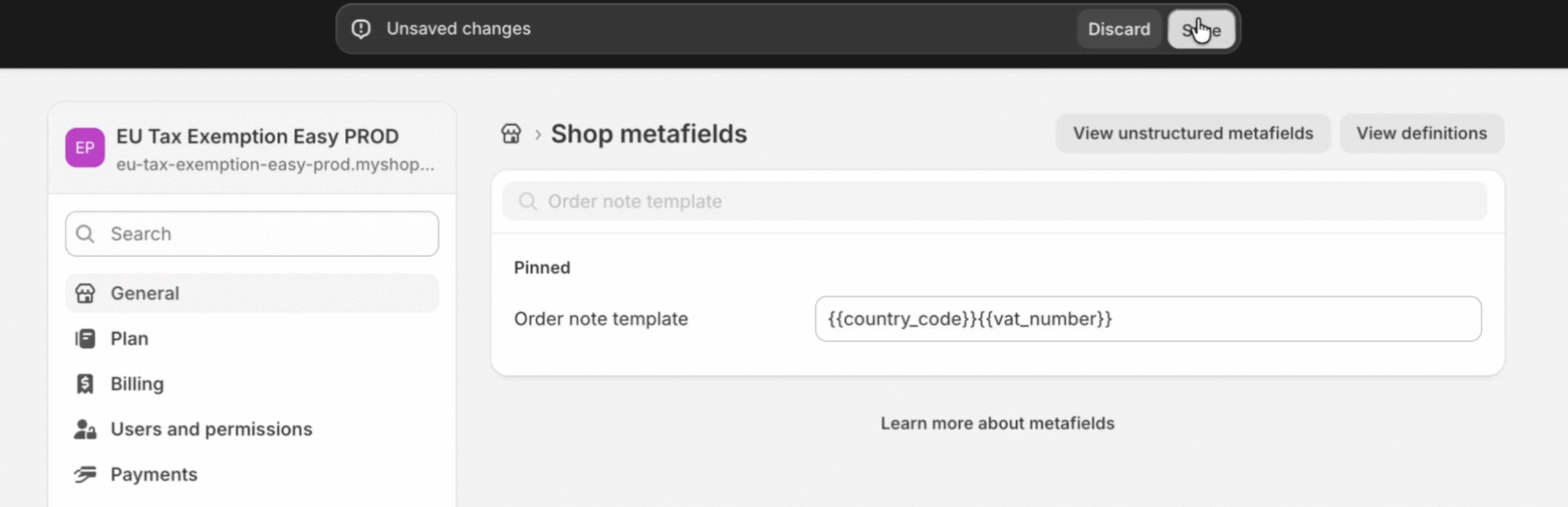
Detailed format for accounting:
TAX EXEMPTION
Company: {{company_name}}
VAT ID: {{vat_number}}
Country: {{country_code}}
Validated: {{timestamp}}The template is stored in a Shopify metafield. Here’s how to set it up:
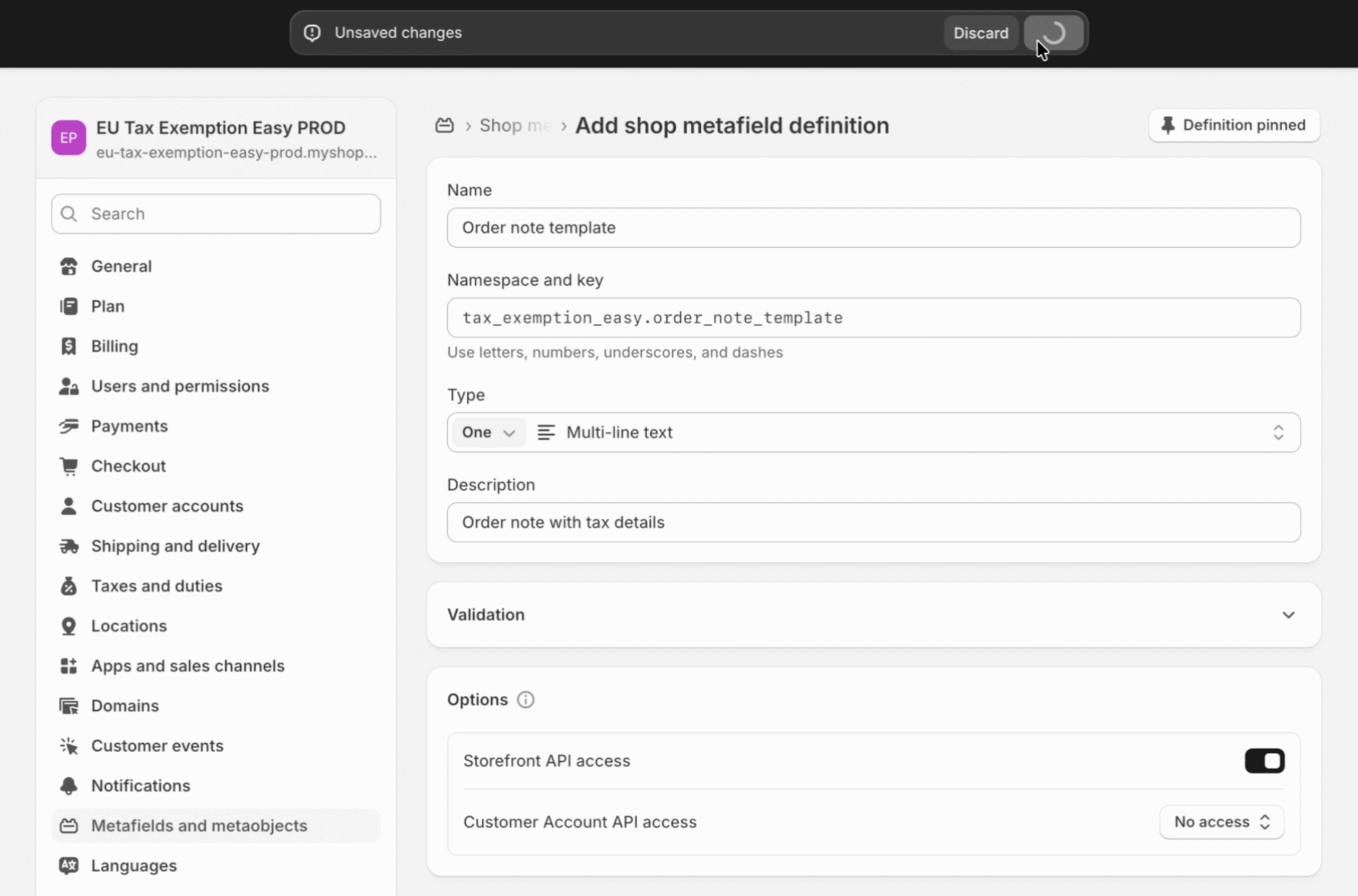
Once saved, all new orders with validated VAT numbers will use your custom format.
If a placeholder’s data isn’t available (for example, the VAT registry didn’t return a company name), that entire line is automatically removed. You won’t see awkward empty fields like “Company: “ in your order notes.
Custom order note templates are useful when:
Some systems choke on Shopify’s default multi-line notes. If you rely on external software that parses order notes, formatting becomes crucial.
Examples:
If your ERP or bookkeeping system requires strict formatting, a custom template is the safest way to guarantee clean, parseable VAT data every time.
Custom order note templates are available on all EU Tax Exemption Easy plans. If you’re not using the app yet, start your free trial to automate VAT validation and tax exemption for your B2B customers.
Need help setting up a specific format? Reach out to our support team and we’ll help you configure it.