
Translate Shopify product images with AI in 1 click. Keeps fonts, colors & layout intact. No Photoshop needed. Try Image Translate Easy.
Translating product images used to mean hiring a designer, recreating each image in every target language, and updating them every time anything changed. For a store with 500 products and 5 languages, that’s thousands of image files to manage. AI image translation for Shopify changes the economics completely. The Translate Product Images app uses AI to detect text within your product images, translate it accurately, and regenerate localised image versions automatically. One click triggers the process for your entire catalogue across all your active languages.
TL;DR:
New AI feature in Image Translate Easy: translate product images in 1 click. The AI keeps your fonts, colors, and layout intact – no Photoshop or designer needed. 1 credit = 1 translation. Get the app →
Selling internationally on Shopify? You’ve probably translated your product descriptions, your navigation, maybe even your checkout. But what about your product images?
That text on your images – the one saying “Free Shipping” or “100% Organic” – is still in English. And your German, French, or Spanish customers notice.
Until now, fixing this meant:
Not anymore.
With our latest update to Image Translate Easy, you can now translate product images with AI in just one click.
How it works:
The AI automatically detects the text in your image, translates it, and – here’s the magic – keeps your fonts, colors, and layout intact.
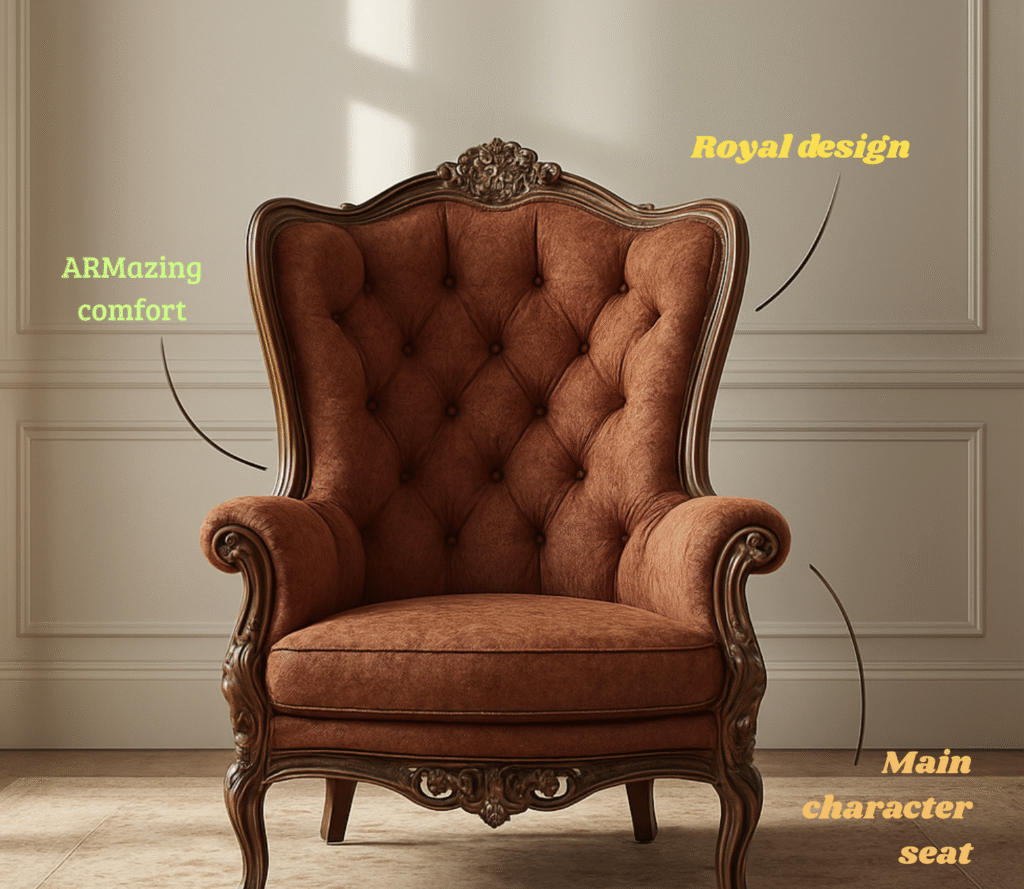
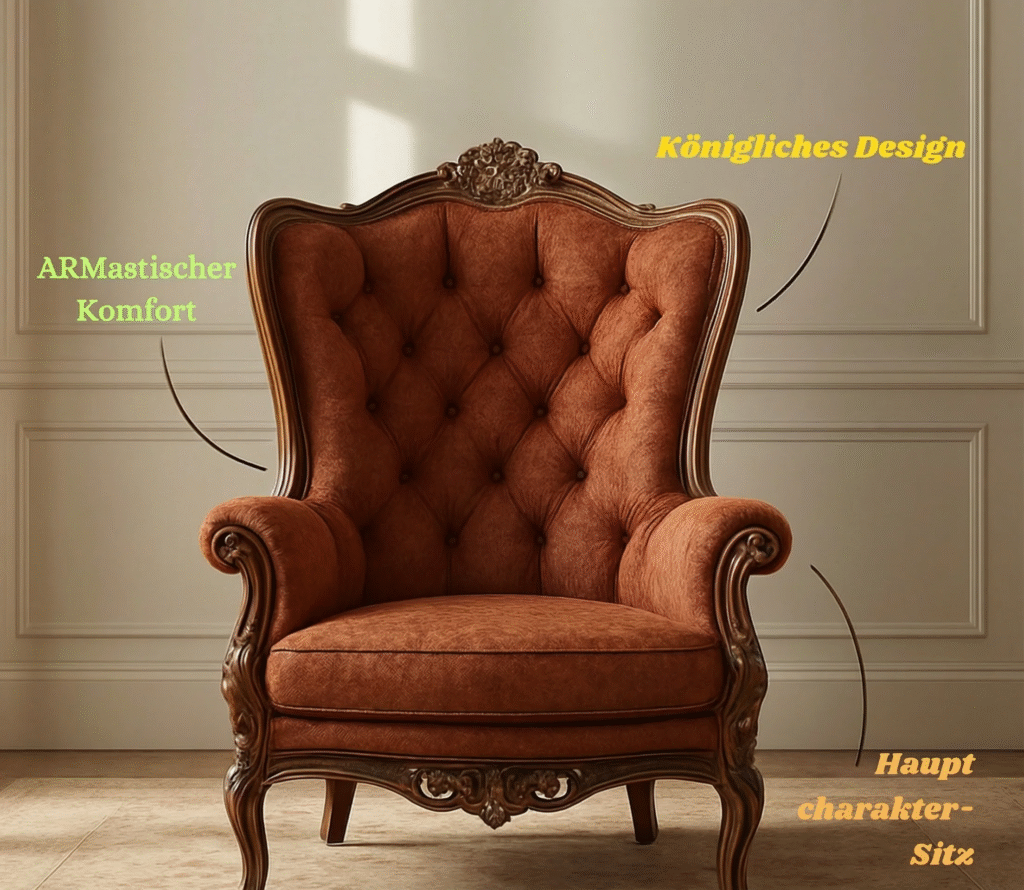
No Photoshop. No designer. No manual work.
We’ve written before about why your translated Shopify store still has English text in images – it’s one of the most overlooked localization mistakes that kill conversion rates.
Your German customers seeing English product labels? That’s a trust issue. They might wonder if the product is even available in their country.
As we covered in The Missing Piece in Your Shopify Localization Strategy, text translation alone isn’t enough for a truly localized shopping experience.
The AI handles all types of product images:
The AI doesn’t just swap text. It:
If you’ve been manually managing different images per language, you know how time-consuming that is. The AI does in seconds what used to take hours.
Simple pricing. One credit gets you one translated image. No subscriptions for credits, no hidden fees.
Combined with our workflow improvements for bulk translations, you can localize your entire product catalog efficiently.
Already using Shopify Translate & Adapt? Great for text – but it doesn’t touch your images. That’s where Image Translate Easy fills the gap.
Check out our complete international selling checklist to make sure you’re not missing any localization steps.
Ready to stop showing English images to international customers?
👉 Get Image Translate Easy on the Shopify App Store
Questions? Hit the in-app chat or contact us.